Telegram sticker maker
Any photo into a Telegram sticker.
The background comes off in your browser, a white outline goes round the subject, and you get a 512 × 512 file ready for the @Stickers bot. Free, no sign up.
- 512 × 512, transparent
- White outline
- Runs in your browser
made this from a photo of my toy
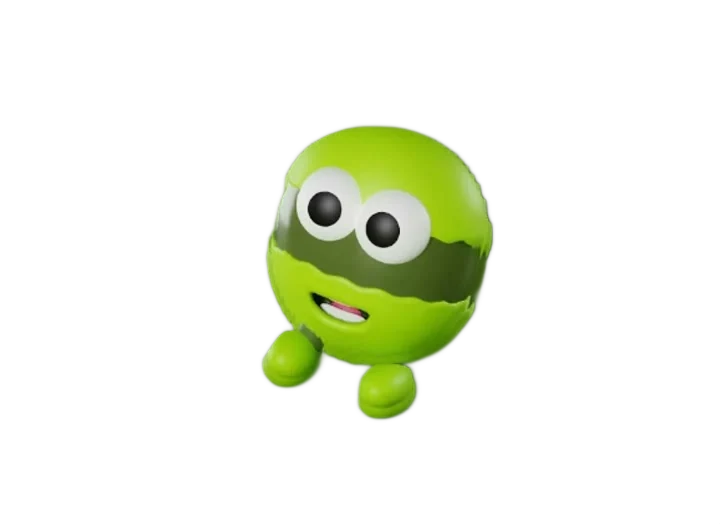 512 × 512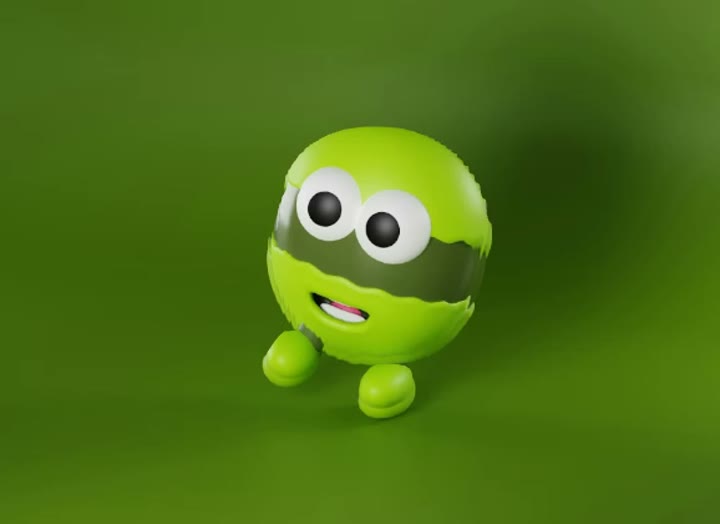
Stickers from the photos you already have
Your pet, your friends, your product: any clear subject becomes a sticker in a few seconds.
Personal packs
Pets, faces and inside jokes, cut out cleanly and ready for a pack of your own.
Group chats
Make the sticker everyone in the group will reply with, from a photo taken minutes ago.
Brand and community
A mascot or product as a sticker your community can send. Free to use commercially.
How to make a Telegram sticker from a photo
The outline and shadow are on by default because that is what Telegram's own guide recommends: “a transparent background, white stroke and black shadow effect will make your sticker stand out.”
Step 01
Add a photo
PNG, JPG or WebP. The AI background removal runs in your browser.
Step 02
Style the cutout
Outline width and colour, shadow on or off, an optional caption of up to 24 characters.
Step 03
Make sticker, then download
The 512×512 WebP for Telegram, or the transparent PNG for anywhere else.
Add it to Telegram with the @Stickers bot
Telegram builds packs through its official bot, so this works from any browser or desktop and ends with a t.me/addstickers/… link anyone can add.
- 1
Send /newpack to @Stickers
A sticker pack, not /newemojipack. Then name the pack.
- 2
Send the image as a file
Attach → File. Sent as a photo, Telegram recompresses it to JPEG, drops the transparency, and the bot rejects it.
- 3
Reply with one emoji
It only labels the sticker for the emoji panel.
- 4
Send /publish
Repeat for more stickers first, then choose a short link name.
- 5
Open the link, tap Add Stickers
The t.me/addstickers/… link works for anyone.
Getting “exactly 100×100 pixels”? You started an emoji pack.
100×100 is Telegram's custom-emoji size, asked for after /newemojipack. Send /newpack instead — your 512×512 file is already right.
Telegram's own sticker editor vs this page
Since version 10.11 (April 2024) the Telegram phone apps have a sticker editor with one-tap background removal and an outline, and it adds the result to a set without leaving the chat. On a phone, that's often all you need. This page is for when you're at a computer, want a 512×512 file you keep and can reuse, or would rather the photo never leaves your device.
Telegram sticker size and format
A static Telegram sticker must be a PNG or WebP with a transparent background where one side is exactly 512 pixels and the other is 512 or less. The @Stickers bot also rejects files over 512 KB. Gifsy exports both formats at 512×512 and re-encodes the WebP until it fits.
Size
512 px on one side
The other 512 or less. Gifsy: 512×512.
Format
PNG or WebP
Transparent background.
File size
Under 512 KB
Enforced by the @Stickers bot.
Send as
File, not photo
Photos get recompressed to JPEG.
WebP
PNG
Transparency
Yes
Yes, lossless
File size
Small; re-encoded to stay under 512 KB
Larger; a detailed photo can pass 512 KB
Quality
High; steps down only if the cap is hit
Exact pixels
Pick it for
Sending to @Stickers
The untouched cutout; Discord, Signal, iMessage
Rules from Telegram's sticker documentation; the long version is Telegram sticker size: 512×512, WebP vs PNG.
Telegram sticker background remover, in your browser
Your photo never leaves your browser. The background-removal model (ISNet, via the open-source @imgly/background-removal library) downloads to your browser the first time and is cached after that. The cutout, outline, shadow, caption and WebP encoding all run on a canvas in this tab. What is fetched over the network is the model — never your photo. Close the tab and nothing remains.
What photos make good stickers
- Works best
- One clear subject with a hard edge — a face, a pet, an object
- Plain or blurred background
- Subject fully inside the frame
- 600 px or more on the short side
- Works worst
- Flyaway hair and fur — the edge goes soft or nibbled
- Glass, steam, transparent objects
- Subjects touching the frame edge — nothing to pad with
- Low contrast with the background, like a white dog on snow
- Several people touching — cut as one blob
- Tiny subjects in wide shots — blurry at 512 px
Crop closer before you drop the photo; a thicker outline hides a ragged edge. There is no manual erase brush — if the cutout is wrong, try another photo.
Discord, Signal, iMessage: yes. WhatsApp packs: no.
The PNG is an ordinary transparent image — paste it into Discord, Signal, iMessage or Slack like any picture. WhatsApp sticker packs are not supported: WhatsApp only adds packs through a companion app on the phone, with no bot, link or web route. You can still send the PNG there; it arrives as an image, not a sticker.
Questions
01Is the Telegram sticker maker free?
Yes, always: no account, no watermark, and no limit on how many stickers you make. The only paid thing on this site is credits for the separate 3D model tool.
02Is my photo uploaded anywhere?
No. The background-removal model is downloaded to your browser and runs there; your photo never leaves the tab. There is no upload endpoint on this page.
03What size does a Telegram sticker need to be?
A static sticker is a PNG or WebP with a transparent background where one side is exactly 512 pixels and the other is 512 or less. The @Stickers bot also rejects files over 512 KB. Gifsy exports 512×512 in both formats and shrinks the WebP until it fits.
04Does it remove the background for me?
Yes. An AI model (ISNet) cuts the subject out automatically when you press Make Sticker, then the outline and shadow are drawn around the cut-out. There's no manual erase brush, so a photo with a clear subject on a plain background works best.
05Should I use PNG or WebP?
WebP when you're sending to the @Stickers bot — it's re-encoded to stay under the 512 KB cap. PNG when you want the untouched cutout or plan to use it as an ordinary image in another app.
06Why does Telegram say it needs "exactly 100×100 pixels"?
Because you started a custom-emoji pack with /newemojipack. 100×100 is Telegram's emoji size. Send /newpack instead; the 512×512 file you already downloaded is the right size for a sticker pack.
07Can I make WhatsApp stickers with this?
Not as a pack. WhatsApp only adds sticker packs through a companion app on the phone; there is no bot, link or web route, so no browser tool can finish that job. You can still send the PNG in WhatsApp as a normal image.
08Why did the first run take so long?
The first sticker downloads the background-removal model (a few dozen megabytes) and caches it in your browser. Later runs skip that and take seconds.
09Can I add text to the sticker?
Yes — a caption of up to 24 characters, drawn in capitals with a dark stroke along the bottom of the sticker.
10Can I make animated Telegram stickers?
No. This tool exports static PNG and WebP only; Telegram's animated stickers are TGS or WEBM files. If you want a photo to move, the GIF maker animates it — but a GIF is sent as a GIF, not added to a sticker pack.
Next
- Make Telegram stickers without an appThe whole @Stickers flow, step by step, with the traps.Read it
- Sticker maker with white borderSame cut-out, for any app, not only Telegram.Read it
- Telegram sticker makers comparedThe built-in editor, the bot, apps and web tools, side by side.Read it
- Animate a photo into a GIFSame no-upload approach, for motion.Read it
- Make an interactive 3D photoReal depth from one photo, with an embed for any site.Read it
More from Gifsy.
Every tool but 3D models runs in your browser, free.
 2 free3D model makerA photo or text into a textured GLB, rigged for characters.Open it
 Free3D photo makerOne photo into a parallax scene you can embed on any site.Open it
 FreeGIF makerAnimate a photo or stitch several into a GIF.Open it
 FreeDepth mapA photo into an 8- or 16-bit depth PNG for Blender or laser engraving.Open it
Your next sticker, in seconds.
No account and no upload. Add a photo and download a 512 × 512 sticker.
Create a sticker