Pet photo to 3D
Turn a pet photo into a 3D model
Upload a photo of your dog, cat or rabbit and Gifsy builds a textured 3D model of them you can turn all the way round, put on a website, or 3D print as a figurine with the STL that comes with it.
- 2 free models
- STL for printing
- A few minutes
Made from one photo
A real test: one CC0 photo of a white rabbit, made into this model. Drag to turn it.
How to turn a pet photo into a 3D model
- 01
Pick the right photo
Your pet on its own, the whole body in frame, on a plain floor or background.
- 02
Check the cut-out
The background comes off in your browser and you see exactly what the GPU gets. Leave it on Product.
- 03
Download, embed or print
A few minutes later: a GLB to share or embed, and an STL ready for your slicer.
Real photos, real results
We ran five free photos through Gifsy exactly as you would. Here are three of the results, live: drag them round. Photos are CC0 from Wikimedia Commons.
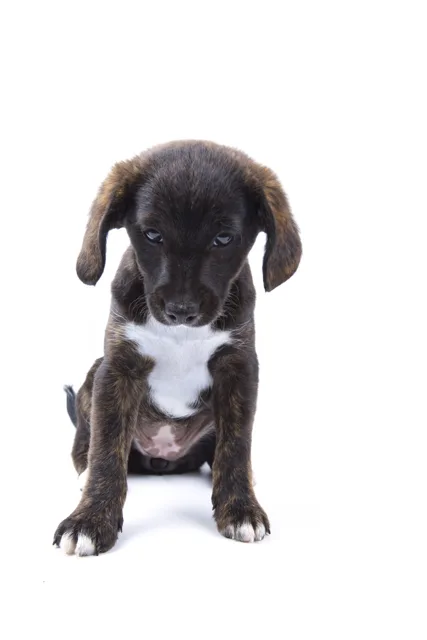
Puppy, sitting
Front view on a plain background: the best kind of photo. Convincing from every side.
Source photo (CC0)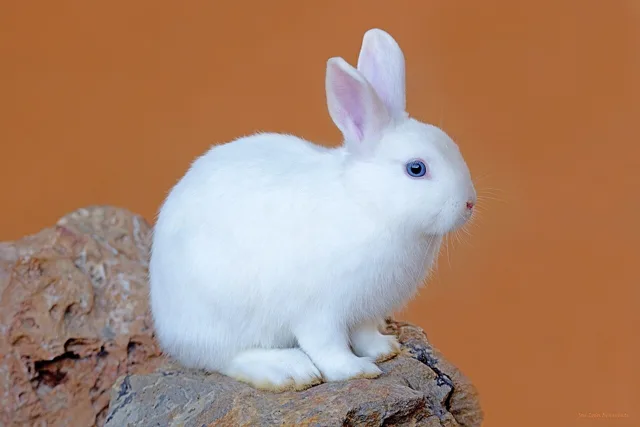
White rabbit
Side view, simple background. Ears, fur and shape hold up all the way round.
Source photo (CC0)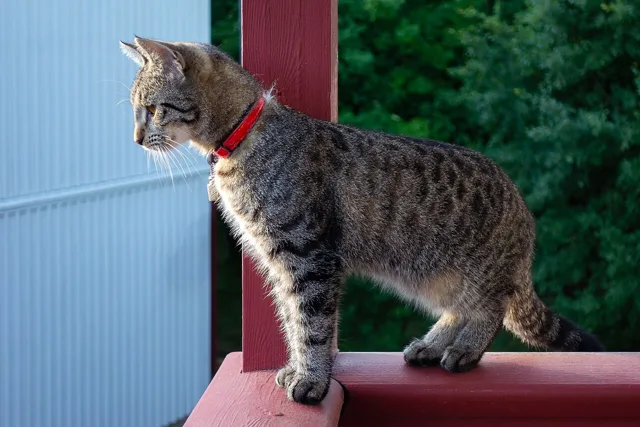
Tabby cat
Standing, side-on. The tail, the red collar and even the whiskers came through.
Source photo (CC0)
And the one that didn't work
A golden retriever, three-quarter on, standing on a busy street with its leash on the ground. The leash fused into the model, the texture turned muddy and part of the tail came out as a loose piece. Same tool, worse photo: this is why the photo matters most.
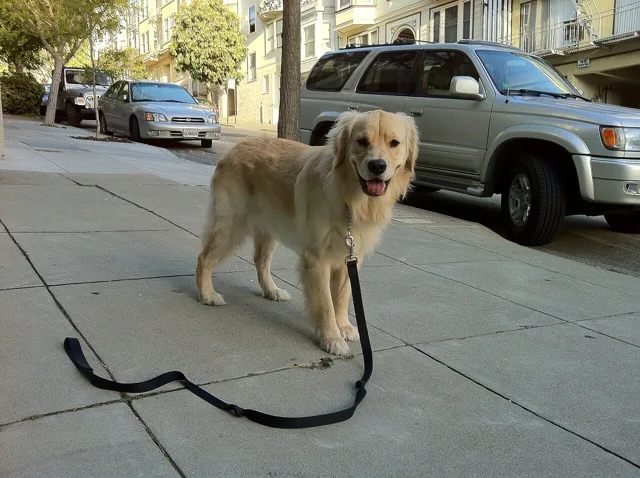
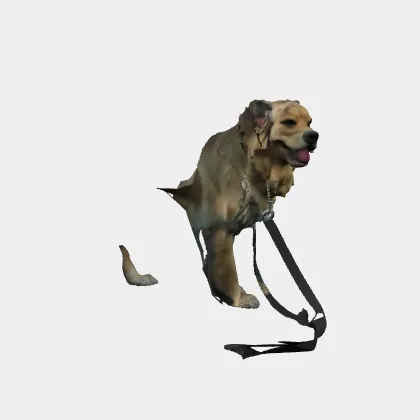
Photo tips for pets
- Do
- Your pet on its own, the whole body in frame
- A plain floor, wall or sheet behind them
- Sitting and facing you, or a clean side view
- Daylight, no harsh shadows across the fur
- Avoid
- Leashes, collars with big tags, toys in the mouth
- A hand, a person or another pet touching them
- Busy streets, sofas and patterned blankets behind them
- Long, thin dogs shot side-on only: they come out flat from the front
Print your pet as a figurine
Every model comes with an STL: rebuilt as one solid, watertight piece, 10 cm on its longest side. Open it in Bambu Studio, Cura or PrusaSlicer, scale it to the size you want and print. It makes a good gift, and the same tool works for anything else with a clear outline.
What it costs
Every account gets 2 free models. One model costs 1 credit, and a model that fails on our side refunds its credit automatically. After that, plans start at $9 a month for 10 models. See pricing
Questions
Can I make a 3D model of my dog from a photo?
Yes. Upload one photo of your dog, check the cut-out and the GPU builds a textured 3D model in a few minutes. Every account gets 2 free models; after that a model costs 1 credit.
Can I 3D print my pet?
Yes. Every model comes with an STL next to the GLB: one solid, watertight piece, 10 cm on its longest side, ready for Bambu Studio, Cura or PrusaSlicer. STL is shape only, so it prints in one colour; paint it or print it in a colour you like.
Does it work with any animal?
Dogs, cats, rabbits and other animals with a clear outline work. What matters most is the photo: the whole animal in frame, on a simple background, with nothing attached to it.
Why did my pet's leash or toy end up in the model?
Anything touching the animal in the photo becomes part of the shape. A leash, a toy in the mouth or a person's hand fuses into the model, so pick a photo where your pet is on its own.
Is the pet model rigged so it can walk?
No. The skeleton and the walk and run previews are made for human-shaped characters. Pets come back as a textured model you can turn, embed or print.
Your pet, in 3D, in a few minutes.
Your first 2 models are free. No 3D skills needed.
Upload a pet photo