3D photo maker
One photo into a 3D scene people can drag.
A depth model gives your photo real depth and a second one lifts the subject off the background. Drag it, export a GIF or video, or embed it on any site with one iframe. Free and unlimited, no sign-up to make one.
- Runs on your device
- Free and unlimited
- Embed anywhere
3D scene
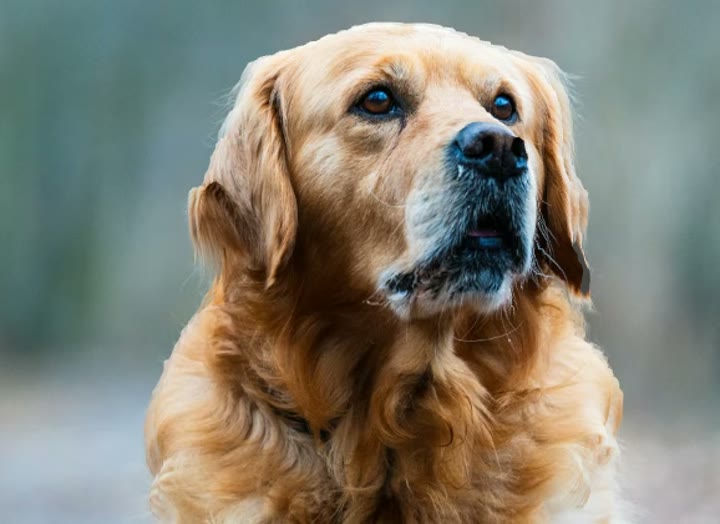
Every one of these started as a flat photo.
Scenes people published with Gifsy, playing as clips. The live, draggable one is next.
Drag it. It's the embed, not a video.
Live in the frame below: click and drag. It's the same <iframe> snippet you paste into your own site. The visitor's page loads image, depth and mask files only; no AI runs for them, and it's on screen in a couple of seconds.
From our gallery.
One image in, real depth out. Hit play on any of them, then drop in your own.
Built for the places a flat photo falls short.
One scene, three ways out: live on your site, a file to share, or a link.
Websites and portfolios
A hero image that moves when people scroll or drag. Paste one iframe into Webflow, Framer, Squarespace or WordPress.
Product pages
Let shoppers tilt a product shot instead of scrolling past it. No 3D model, no 360° shoot, just the photo you have.
Social and messages
Export the same scene as a GIF, a WebM clip or a PNG for anywhere an embed can't go.
Image to parallax, and how this one differs
A 3D parallax photo adds depth to a flat picture: near things move more than far things as the viewpoint shifts, and the eye reads that as 3D. Most parallax image generators render the move once and hand you a video. Gifsy renders it live, so the person looking at it can drag the scene, here, on the share link, and inside the iframe on your own site. Want the background on this? Read how the 2.5D parallax effect works.
Step 01
Add a photo
JPG, PNG or WebP with one clear subject. 640 px or more on the long edge gives the depth model enough detail.
Step 02
Generate
A depth model estimates how far every pixel is; a second model lifts the subject. Keep the backdrop, or float the cut-out on transparency.
Step 03
Drag, export or embed
Spin it with the mouse, export a GIF, PNG or WebM, or publish for a share link and an iframe for any website.
Make a photo 3D parallax online, free
Everything below runs in this tab. The one thing the free parallax tools don't give you is a result a visitor can move; that's the embed.
Input
One photo
JPG, PNG or WebP. No layers to cut by hand.
Account
Only to publish
Make and download without one; nothing to buy.
Output
Interactive + files
An embed people can drag, or a GIF, WebM or PNG.
Orbit
About ±20°
One photo only shows one side of anything.
Two looks, four outputs
Look
With background
Subject lifts over its own backdrop; a clean fill is painted behind it.
Look
Cut-out
Subject alone on transparency, clean at every angle of the orbit.
Files
GIF · WebM · PNG
A looping clip, a short video, or a still at the current angle.
Embed
One iframe
100% wide, 500 px tall by default, loading="lazy". No AI for visitors.
Which photos work best
- Works best
- One clear subject, fully inside the frame
- Plain or blurred background
- 640 px or more on the long edge
- Works worst
- Frame-filling subjects: nothing behind them to parallax
- Busy, low-contrast backgrounds: it falls back to a depth-only view that reads as a warping sheet
- Small sources: they come out soft
The orbit is deliberately shallow, about ±20°, because one photo only contains one side of anything. That's the honest limit of a single-image 3D photo.
Making one for a store? Read interactive product photos without a 3D model and how to add one to Shopify.
Where your photo goes
While the scene is made, your photo stays in your browser. The whole depth model runs on your device.
Depth
Everything on your device
Both halves of the depth model run locally. If the second can't load, that one step falls back to our server, which gets activations, not the image.
Publishing
Uploads the finished scene
Image, depth map, subject mask, backdrop. Published scenes are public.
Full account
Privacy policy
Every case, spelled out.
What it costs
Nothing. You get unlimited 3D generations with no sign-up and unlimited publishing with a free account, commercial use included, and embeds carry a small Gifsy badge. Any 3D model plan removes the badge from all your embeds. See pricing
Questions
01Is it free?
Yes. 3D generations and downloads are unlimited with no sign-up, publishing and embedding are unlimited with a free account, and commercial use is allowed. Embeds carry a small Gifsy badge, which any 3D model plan removes. Nothing about 3D photos themselves is paid.
02Do I need an account?
Only to publish. You can make a scene and download a GIF, PNG, WebM or the scene file without signing up. A free account is how a published scene is tied to you, so you can find and manage it later. GIFs and stickers on this site need no account at all.
03Is my photo uploaded?
Your photo stays in the browser while the scene is made, and the whole depth model runs on your device. Publishing is the one step that uploads the finished scene, and published scenes are public.
04Will it look like my photo?
Yes. The colour image is your photo, untouched. What is added is depth: the subject separates from the background and moves with the camera. It is a 2.5D effect from one image, not a 3D model, so the orbit is about ±20° rather than a full turn.
05Can I export a video?
You can export an animated GIF, a WebM video clip, or a still PNG of the scene. The interactive version, the one a visitor can drag, is the published embed.
06Does it work on phones?
Yes. Generation runs on the phone's own processor and takes longer than on a laptop; the published embed works on any modern phone browser and responds to touch.
07How big is the embed?
The snippet is a single iframe that defaults to 100% width and 500 px height; change the height to suit your layout. The viewer loads the image, a depth map, the subject mask and a small renderer; no AI runs for your visitors.
08Can I use it commercially?
Yes. Commercial use, including client work and sites that make money, is allowed on a free account. Embeds keep a small Gifsy badge unless you've subscribed to a 3D model plan.
09Can I remove the "Made with Gifsy" badge?
Yes: subscribe to any 3D model plan (from $9/month) and the badge comes off all your embeds, including ones already published. Otherwise everything about 3D photos is free and unlimited.
10Does it work offline?
Depth generation does, after the first model download, because the whole model runs on your device. Publishing does not: the backdrop fill runs on our server once at publish, and the finished scene has to be uploaded to get a share link and an embed.
11What's the difference between Gifsy and Immersity AI (LeiaPix)?
Immersity for Web is still sold: its free tier exports watermarked 720p video for non-commercial use, and paid tiers sell monthly credits. Every Immersity plan hands you a video. Gifsy's output is an interactive iframe your visitors can drag on your own site, free and unlimited (publishing needs a free account), plus a GIF, WebM or PNG capture if you want a file too.
12Is a 3D photo a 3D model I can export to Blender?
No. A 3D photo is a 2.5D parallax scene: a depth map and a subject cut-out rendered on two displaced planes, viewable within roughly ±20°. If you need a mesh you can turn all the way round, Gifsy's 3D model maker turns a photo or a description into a textured GLB, with characters rigged, for 1 credit a model.
Not what you need?
- Animate a photo into a GIFFlat motion effects, in your browser, no account.Read it
- Telegram sticker makerAI cut-out with an outline, exported at 512×512.Read it
- Which photos work bestEleven rules, the six that fail, and a five-second test before you upload.Read it
- Embed a 3D photo on any siteThe iframe, every attribute, and each platform's menu path.Read it
- How 3D photos workDepth map, matte, backdrop, two planes, with the numbers.Read it
- 3D galleryWhat the effect looks like on different kinds of photos.Read it
More from Gifsy.
Every tool but 3D models runs in your browser, free.
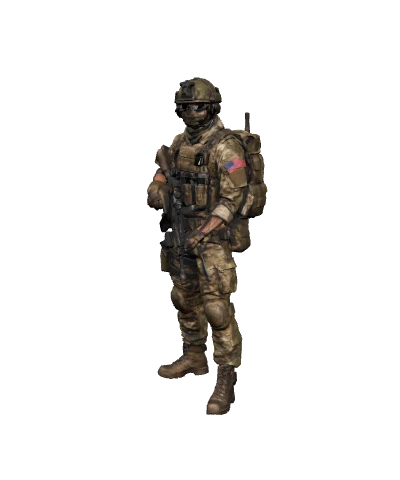 2 free3D model makerA photo or text into a textured GLB, rigged for characters.Open it
 FreeGIF makerAnimate a photo or stitch several into a GIF.Open it
 FreeTelegram stickersAI cut-out with an outline, exported at 512×512.Open it
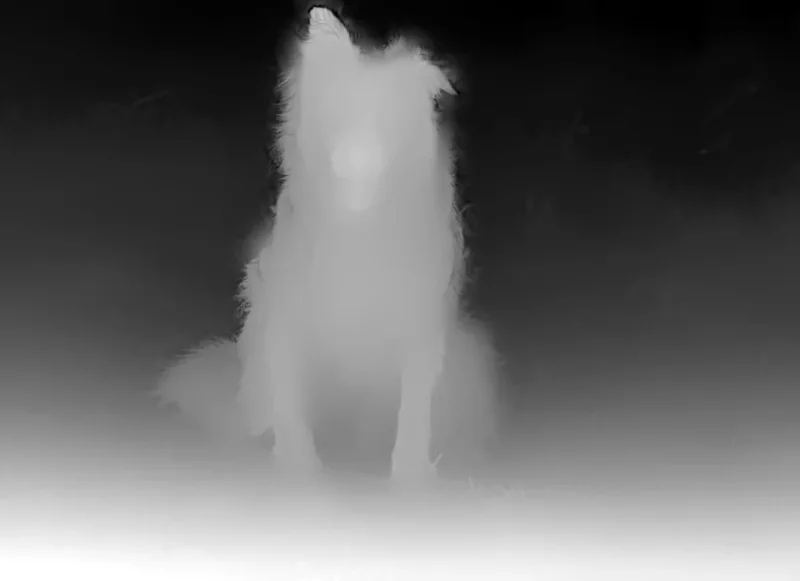 FreeDepth mapA photo into an 8- or 16-bit depth PNG for Blender or laser engraving.Open it
Your next photo, in 3D. Free.
No 3D skills, no upload while it's made. Add a photo and drag the result a minute later.
Create a 3D photo